Add More Meaning to Your Time: Introducing Tags in Clockk
Clockk • December 11, 2025

Add more meaning to every minute
Clockk already shows you what you worked on and for how long. Now you can capture why. Tags — also known as task types — let you add lightweight context to any project or block on your timeline. Whether you want to distinguish design from development, research from admin, or track tax-credit-eligible work (like SR&ED), tags give you the control to see your work with new clarity.
How it works
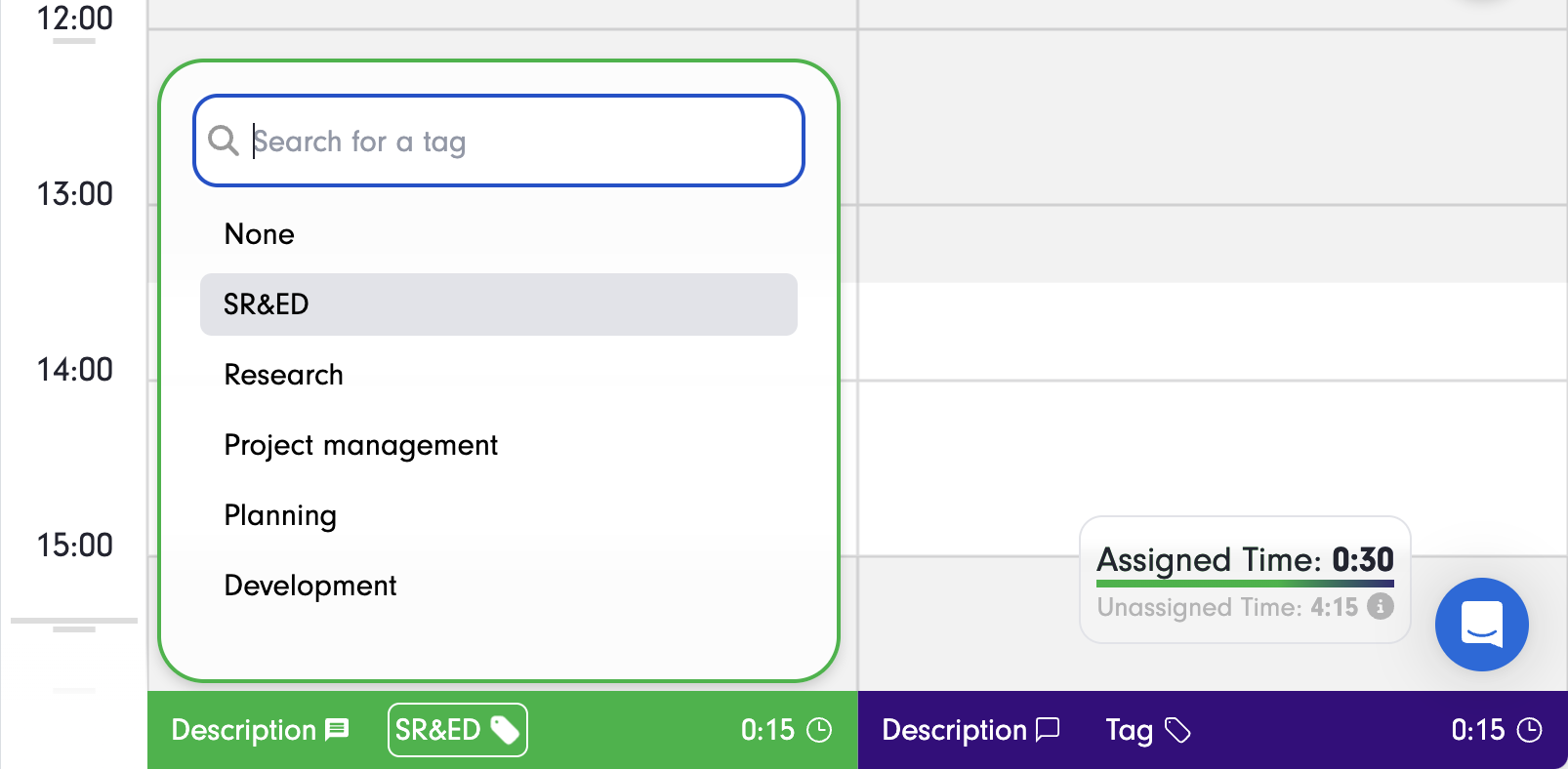
When reviewing your timeline, click the tag icon at the bottom of a project column, or on any block to add a tag. It takes seconds and doesn’t change how you already use Clockk. Tags simply enrich the data you’re already generating. No extra steps, no clutter, no timers.
Report on the work that matters
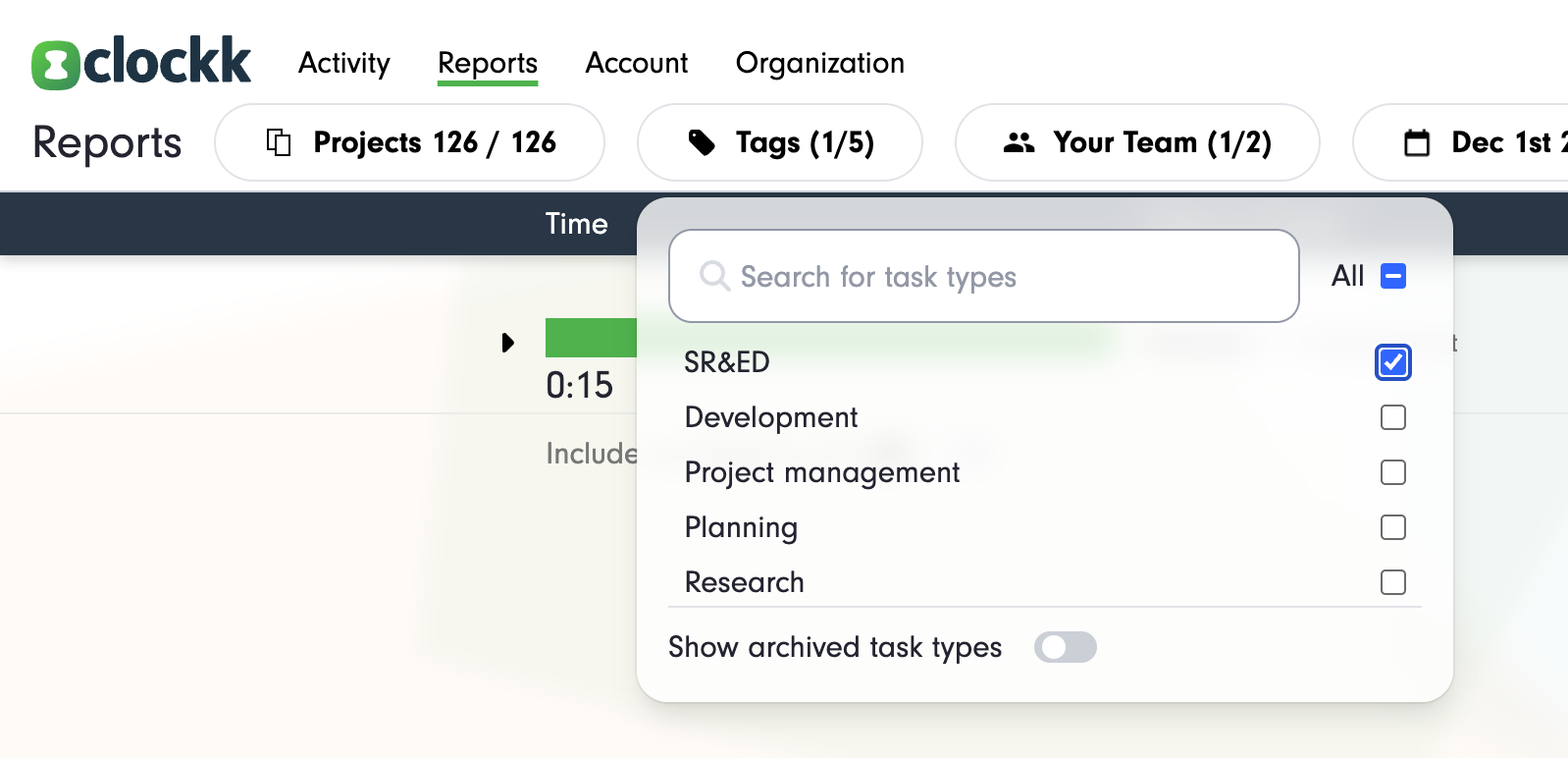
Once tags are in place, they become a powerful lens in your reports. Want to know how much client discovery you did last month? Or how much of Project Alpha was QA work? Filter by tag in Clockk’s drill-down reports and the answers appear.
Built for agencies, consultancies, and anyone who juggles it all
Tags give teams a simple way to standardize internal task types while still keeping Clockk’s effortless workflow. No rigid task lists. No micromanaging. Just clean, searchable context.
Try tags today
Tags are available in the Studio plan and higher, starting today. You can turn on Tags by heading to the tag management page.
Ready to save time and find unbilled hours? Get Started